Your lists, always to hand
Wishonaut doesn’t need an account – and you still don’t have to remember a thing. Your device keeps your lists all by itself. Only if you want to open them somewhere else does it take one small extra step.
-
Step 1: On this device: all by itself
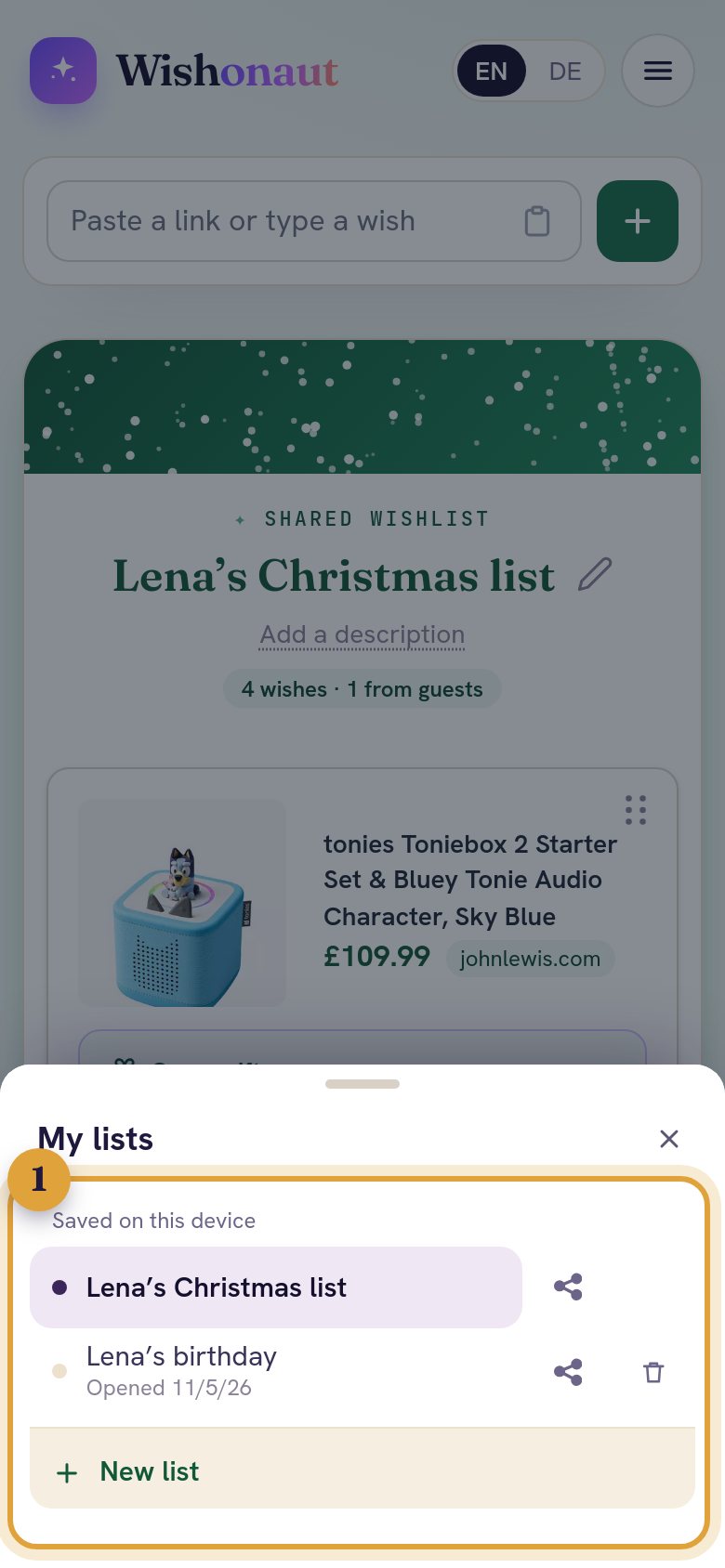
Every list you create or open is remembered by your device. You’ll find them all under “My lists” 1 – in the bar at the bottom, the button is called “Lists”.
-
Step 2: On another device: send yourself the link
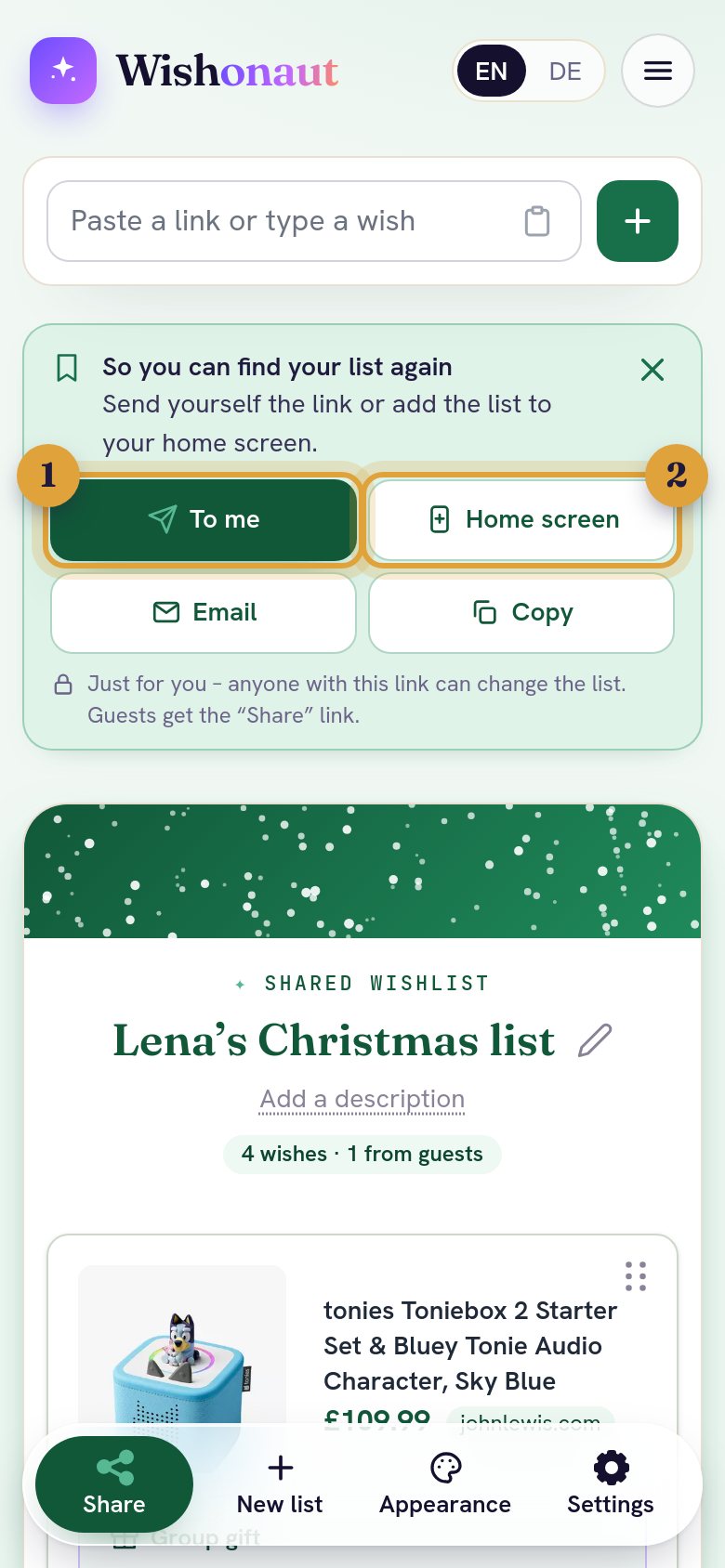
Want to open your list on your laptop or tablet too? Send yourself the link with “To me” 1 – by message or email – and tap it there. On your phone, you can also add the list to your home screen 2, so it’s just one tap away.
-
Step 3: Keep it for good: by email
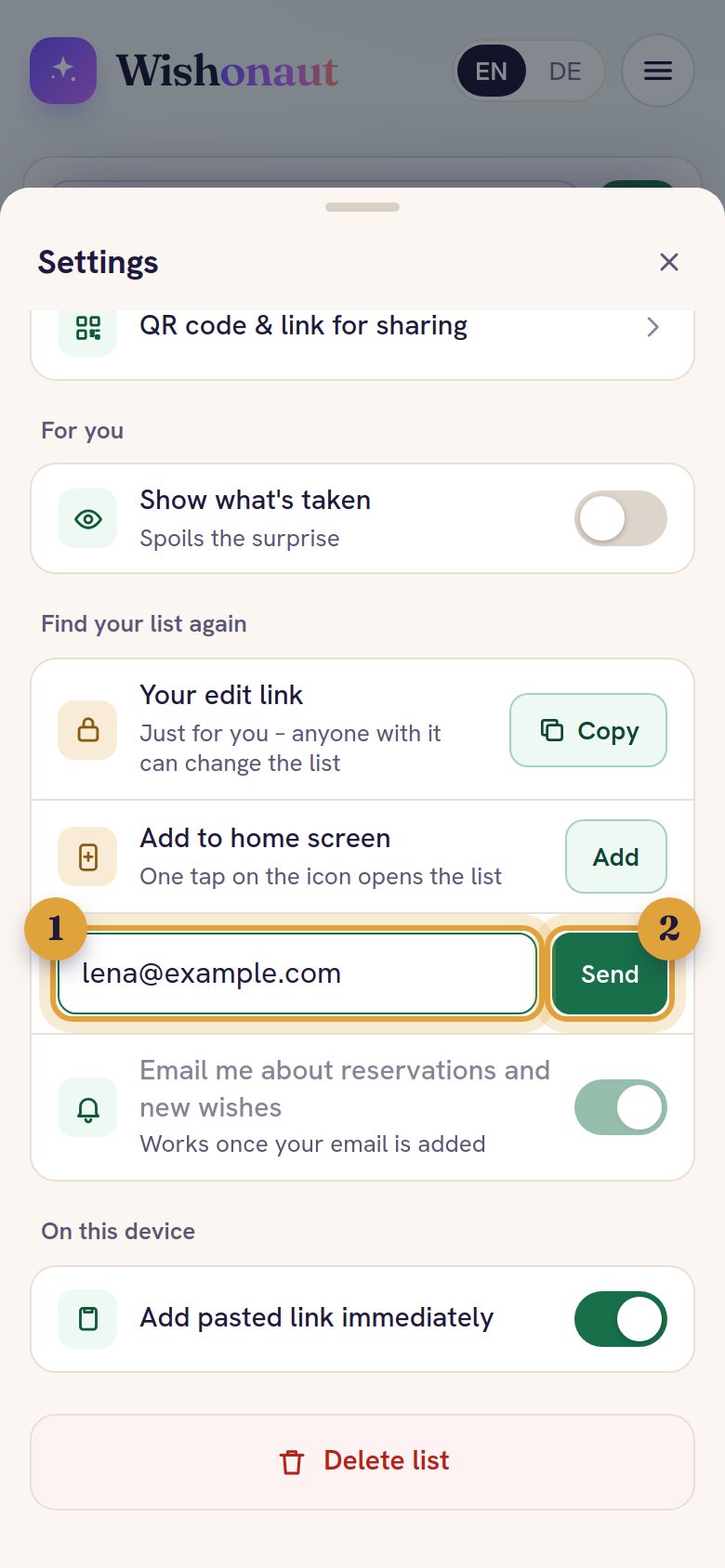
If you want to be completely sure, enter your email address in the settings under “Find your list again” 1 and tap “Send” 2. The link then sits in your inbox, and you’ll find your list a year from now – without creating an account.
Keep the link you send yourself to yourself – it’s the one you edit your list with. Your guests get the link from “Share”: with that, they can reserve wishes but can’t change anything.
Give it a go
Free, no sign-up – and done in two minutes.