Help & Guide
Here you can learn how to use Wishonaut and all its features step by step. It’s easy, you will see!
Important: Don’t forget to save your Owner link! This is the only way to access and edit your wishlist later. Without it, you won’t be able to find or manage your list again.
Create your wishlist
Click the “Create your own Wishlist” button on the homepage. You will immediately see the owner interface, where you can customize your wishlist’s title and description.
Add items
Use the floating menu to paste a URL into the text field. Click “Add Item” and we’ll try to fetch the title and image for you automatically. You can also edit or delete items anytime.

Your & Share Links
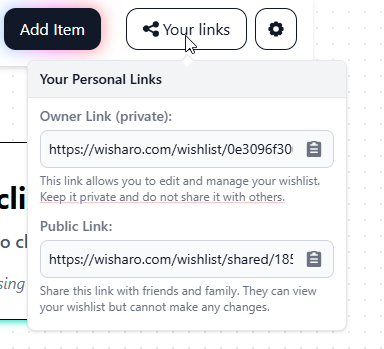
Next to the “Add Item” button you’ll find a “Your Links” button. It opens a popover with your personal and public share link.
Settings & Public View
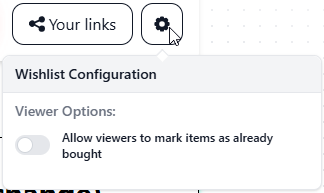
The gear icon opens a popover with settings. Here you can allow items to be marked as purchased — this only appears in the public view, not in edit mode.
Edit Title & Description
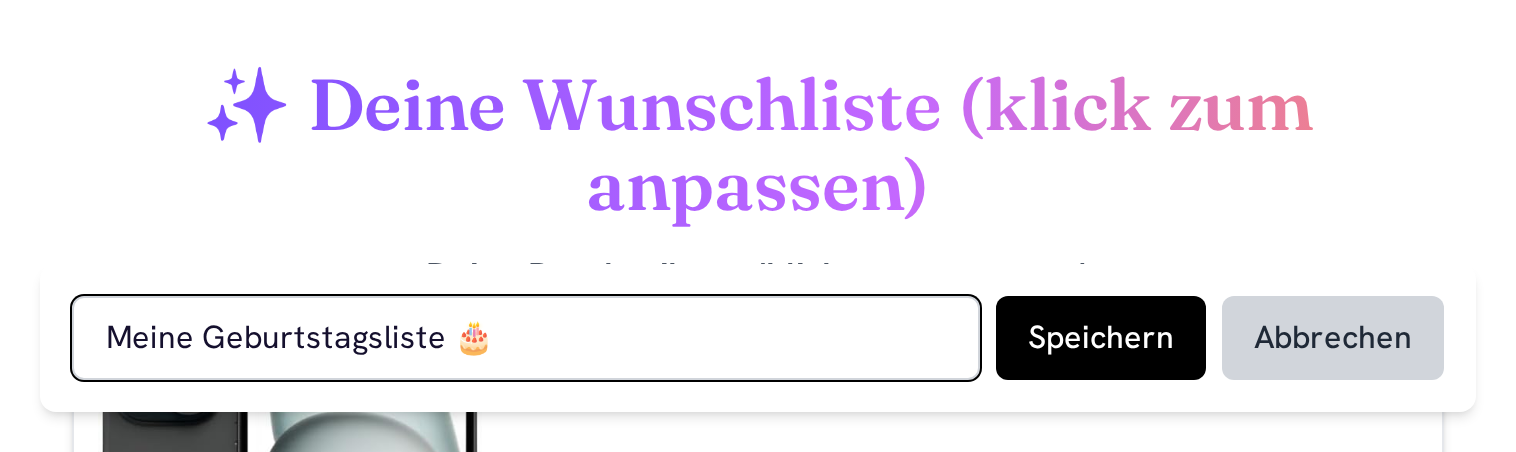
You can click directly on the wishlist title or description to edit them inline. Don’t forget to save your changes!
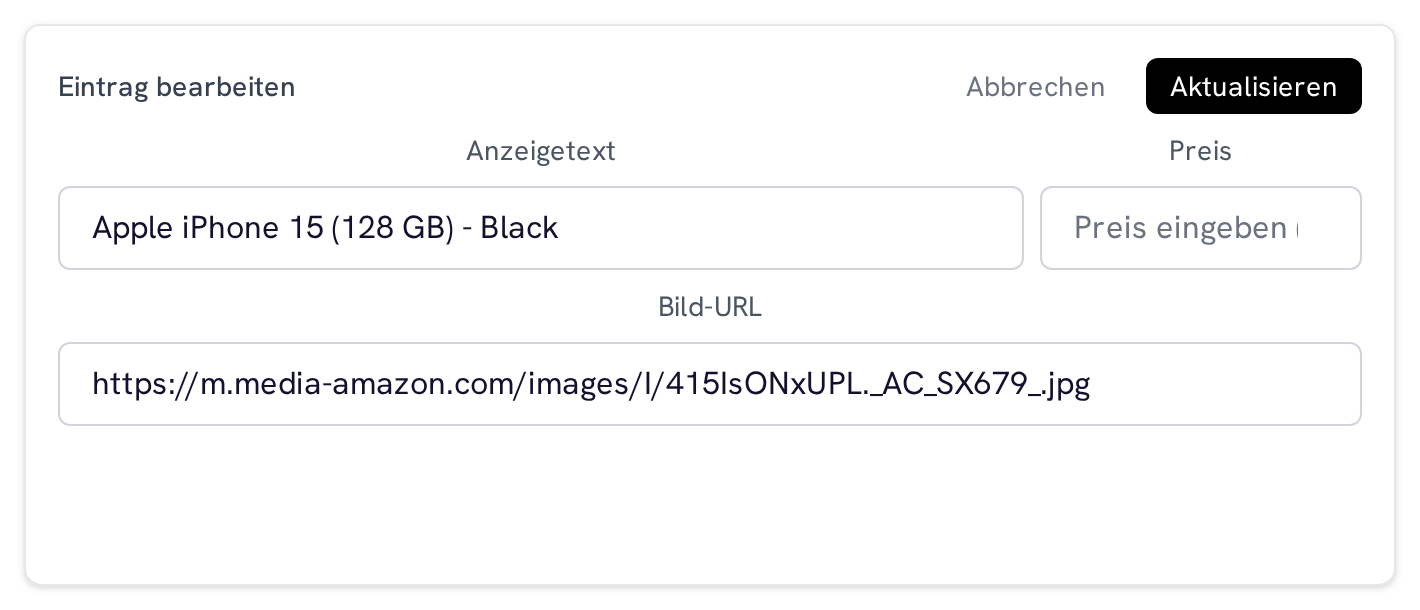
Edit or Remove Items
Each item in your wishlist has an Edit button to change its details and a Delete button to remove it from the list. This helps you keep your wishlist up-to-date and organized.
Reserve & chip in
These features are what your guests experience in the public view — so nothing gets bought twice and even big wishes come true.
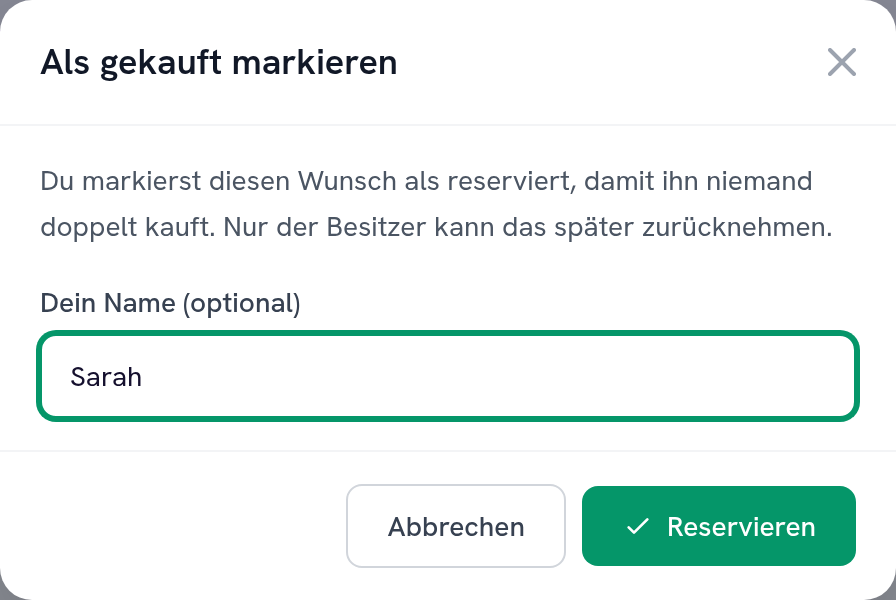
Reserving – with a name, no sign-up
Your guests can reserve any wish for themselves. A small dialog opens where they can leave their name if they like. Everyone else then sees the wish as taken – so nothing gets given twice. Only you as the owner can undo a reservation, and you can switch reserving off entirely in the settings menu.
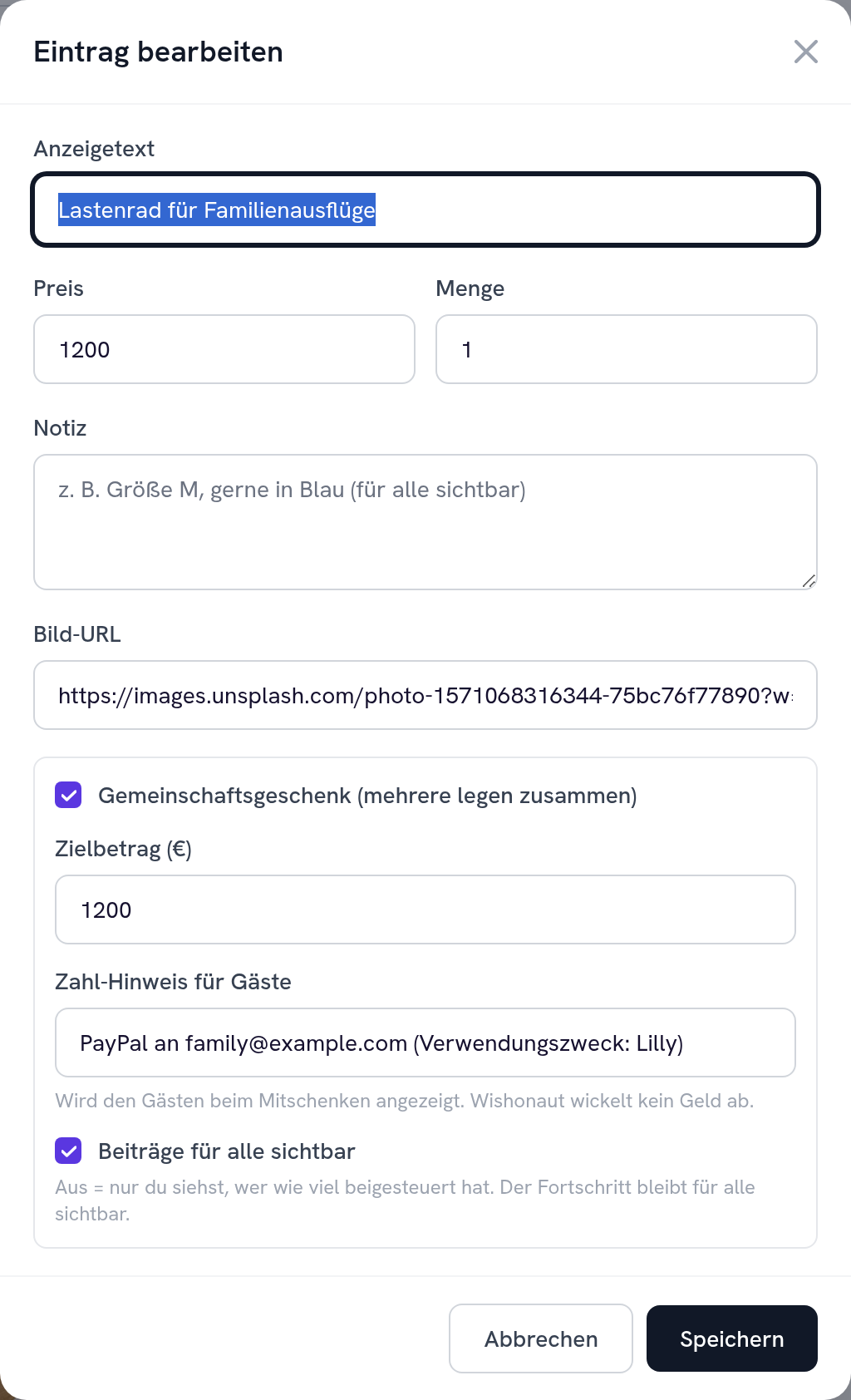
Turn big wishes into a group gift
When editing an item, enable “Group gift”. Optionally set a target amount and add a payment hint (e.g. your PayPal link or IBAN) — this is shown to your guests when they chip in. You also decide whether the list of contributions is visible to everyone or only to you.
How your guests chip in together
Guests see a progress bar and can pledge an amount with one tap on “Chip in” — optionally with their name and a short note. Everyone can tell at a glance how much has been collected and who's already on board.

About the money: Wishonaut never handles payments. We only show who pledged how much and display your payment hint. The actual money flows directly between your guests and you — safely and with no fees.
Ready to make a wish?
Create your wishlist in just a few clicks — free, no sign-up, shareable instantly.