One list for everyone: when guests can add wishes

Sometimes a wishlist is a team effort: grandparents collecting for all the grandkids, nursery parents planning a leaving party, a couple and their best friends. That’s what this switch is for – it lets your guests add wishes too.
-
Step 1: Flip the switch
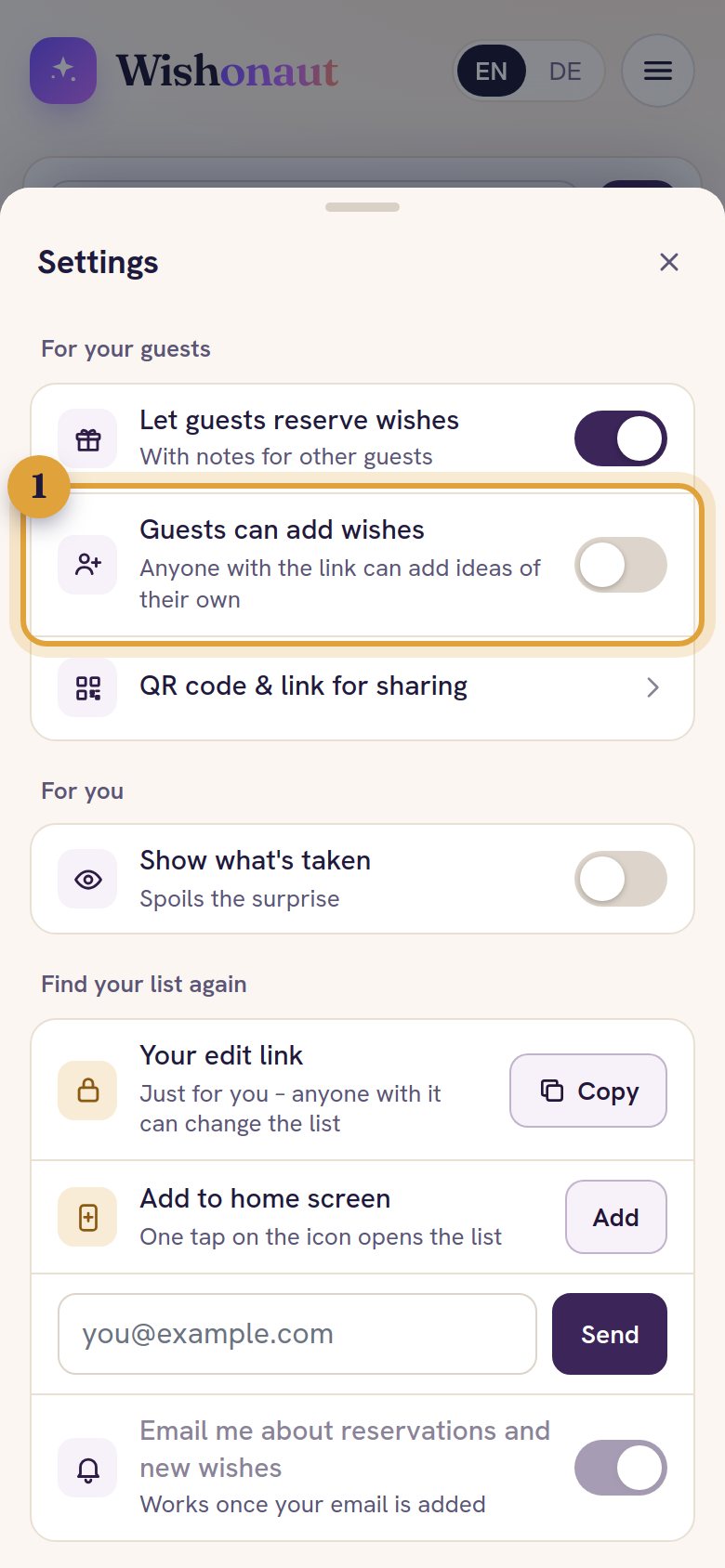
In the settings you’ll find “Guests can add wishes” 1. One tap and you’re done. You can turn it off again at any time – anything your guests have added stays on the list.
-
Step 2: Your guests join in
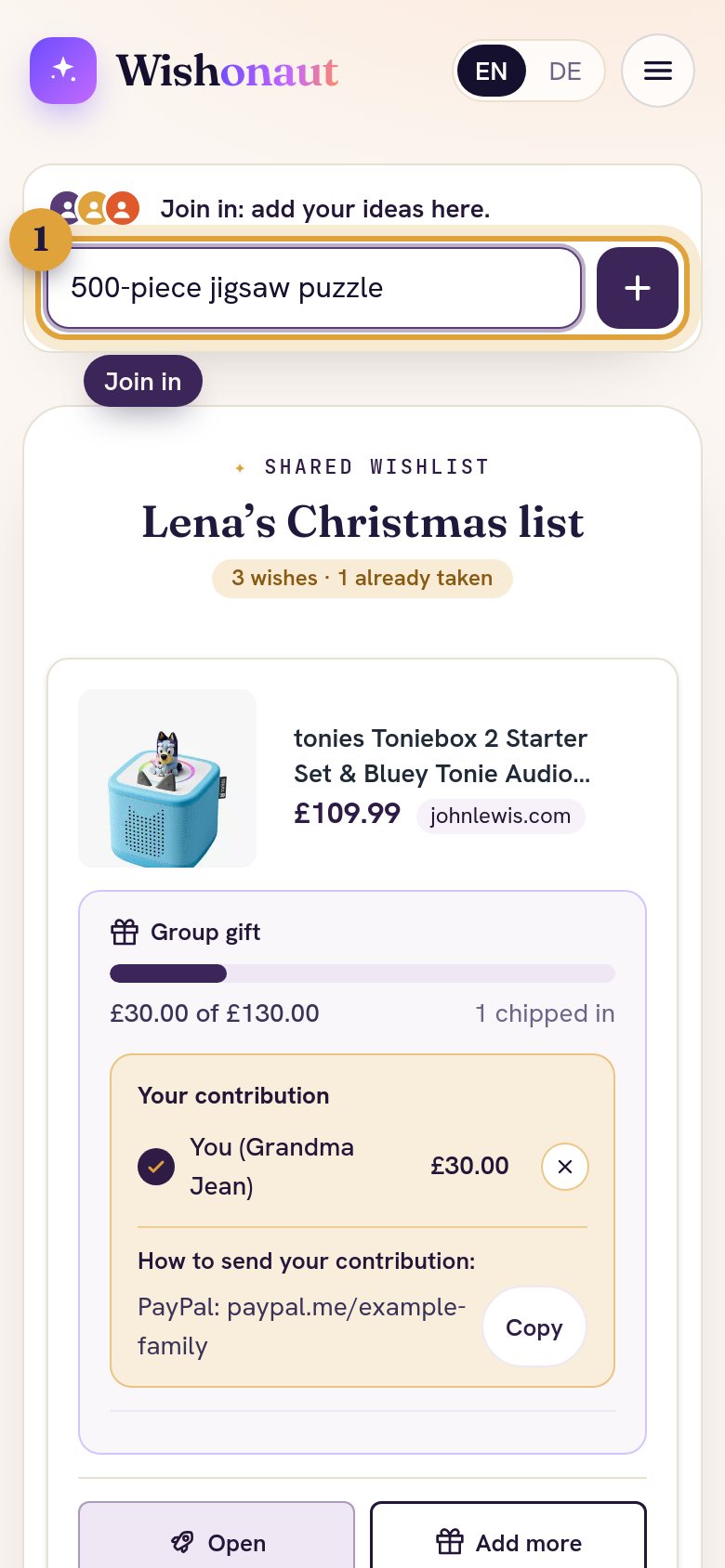
Anyone opening your link sees “Join in” at the top and the same box you use 1: paste a link or type a wish, done.
-
Step 3: Say your name once
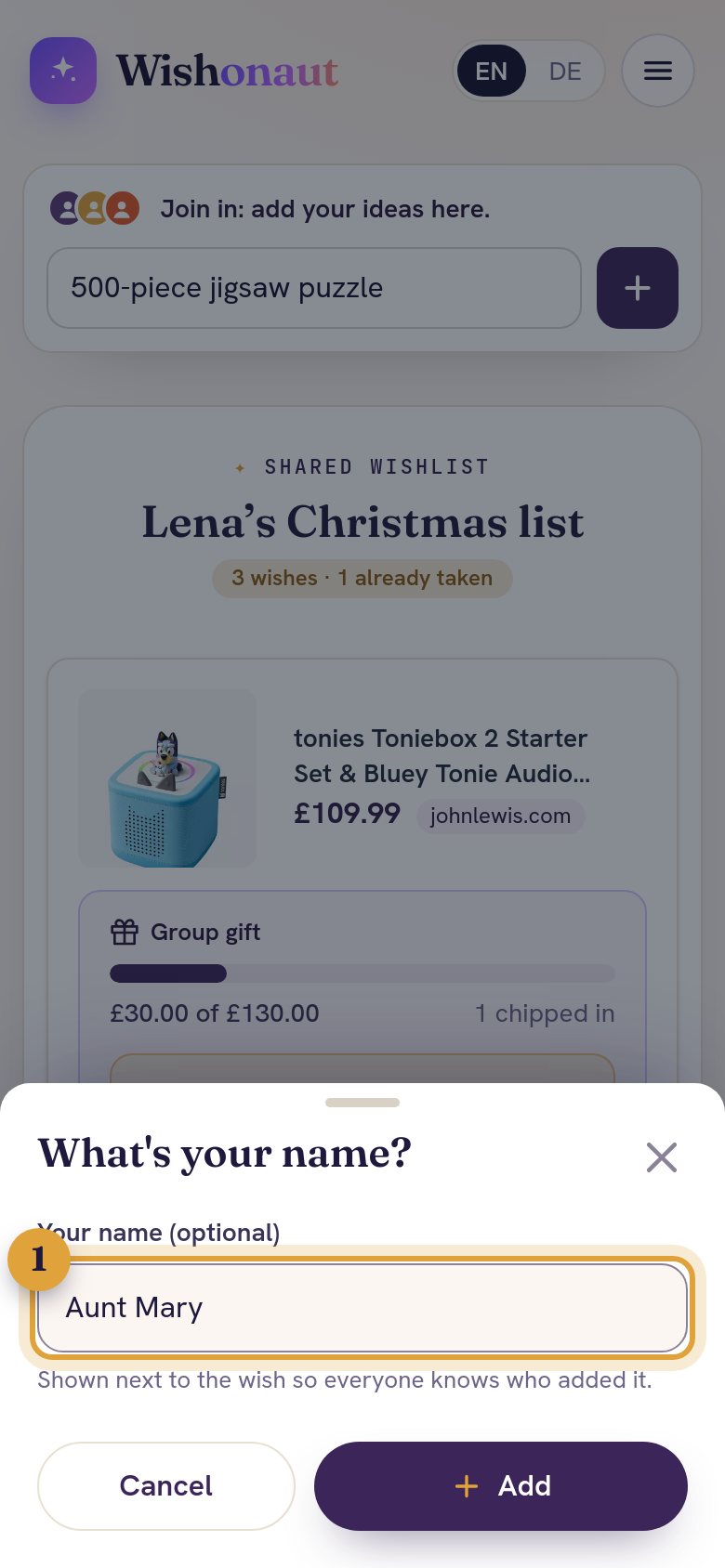
With their first wish, Wishonaut asks for a name 1 – entirely optional. After that, the device remembers it.
-
Step 4: Everyone can see who added what
The wish then shows a small “Added by Aunt Mary” 1. Guests can only change or delete their own wishes – and only while nobody has reserved them.
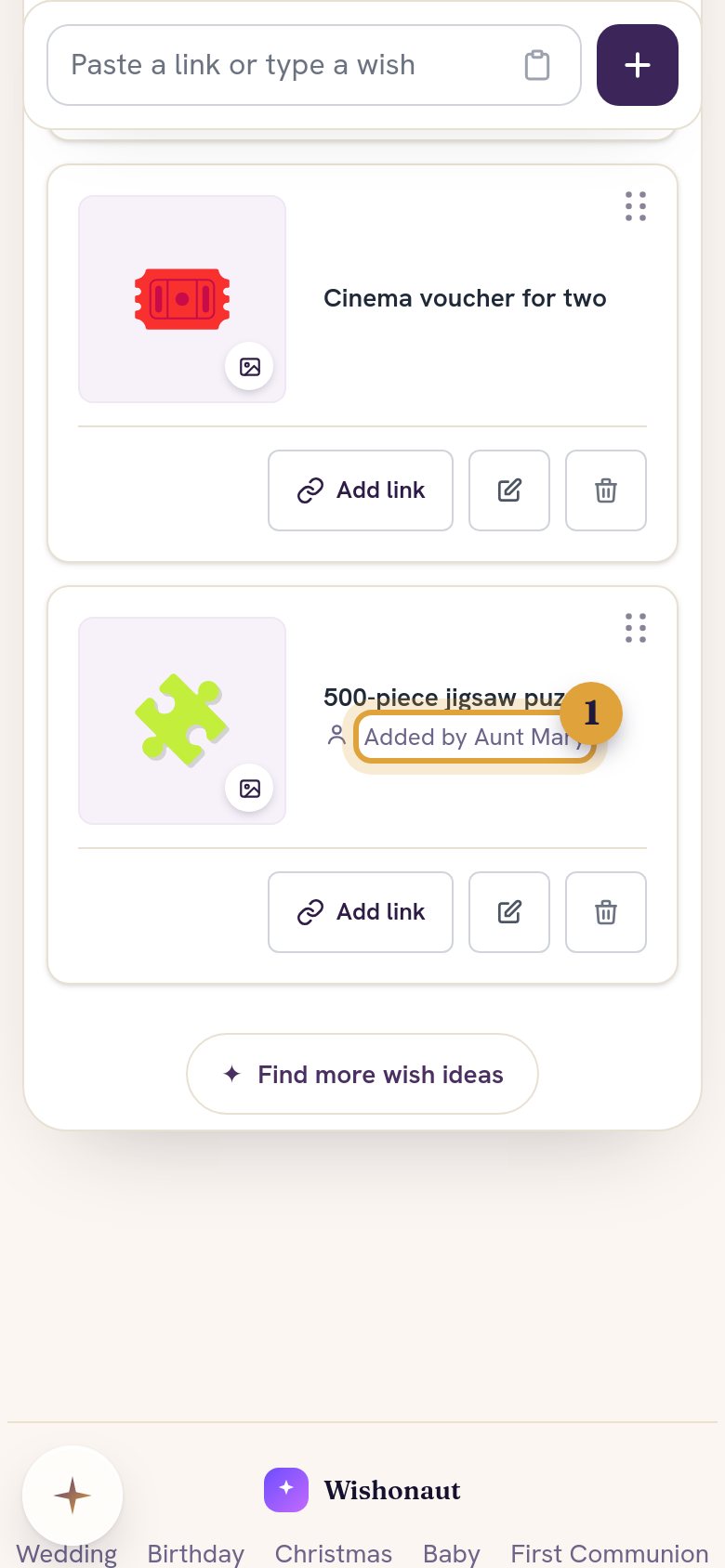
You stay in charge: as the owner, you can edit, sort and delete every wish, including the ones your guests added.
Give it a go
Free, no sign-up – and done in two minutes.