Paste a link, done: what Wishonaut does for you

Keeping a wishlist up to date can be a chore: save the picture, type out the name, look up the price. With Wishonaut, you just paste the link. We do the rest – for any shop, not just one.
-
Step 1: Paste the link
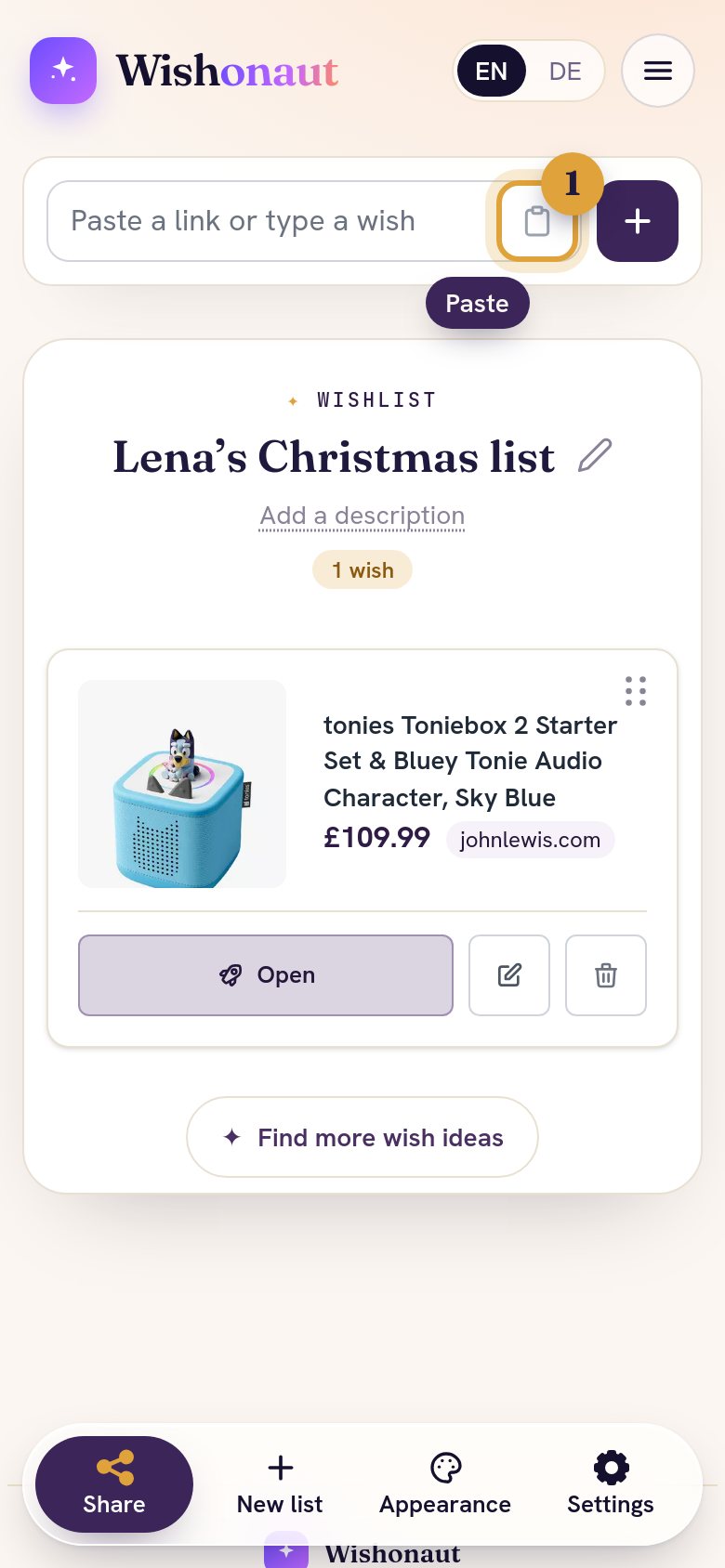
Copy the link in the shop – on your phone that’s “Share”, then “Copy”. Back in Wishonaut, tap the paste icon in the box 1 and the link drops right in.
-
Step 2: Give it a second
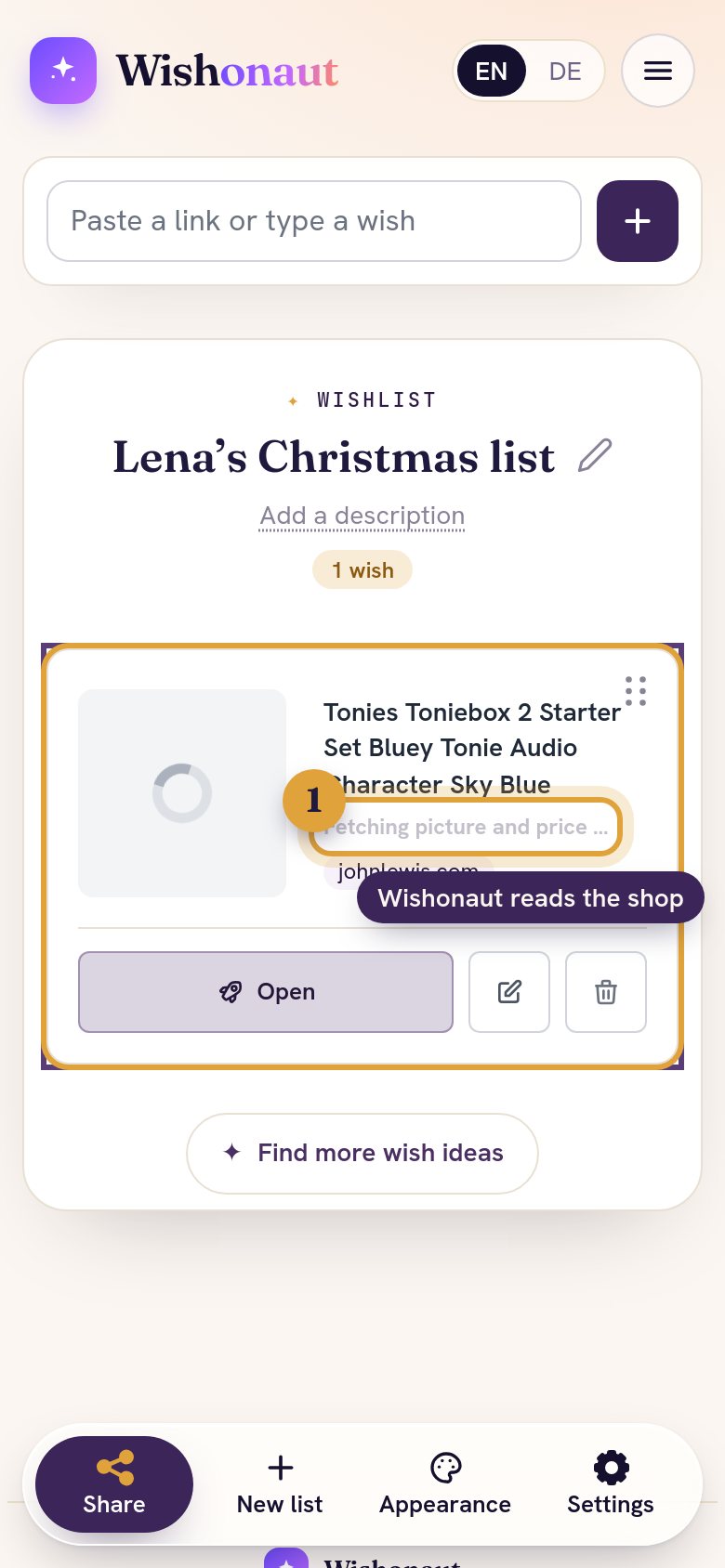
Wishonaut now takes a look at the shop’s page 1. That usually takes just a few seconds – and you can already add your next wish in the meantime.
-
Step 3: Picture, name, price – sorted
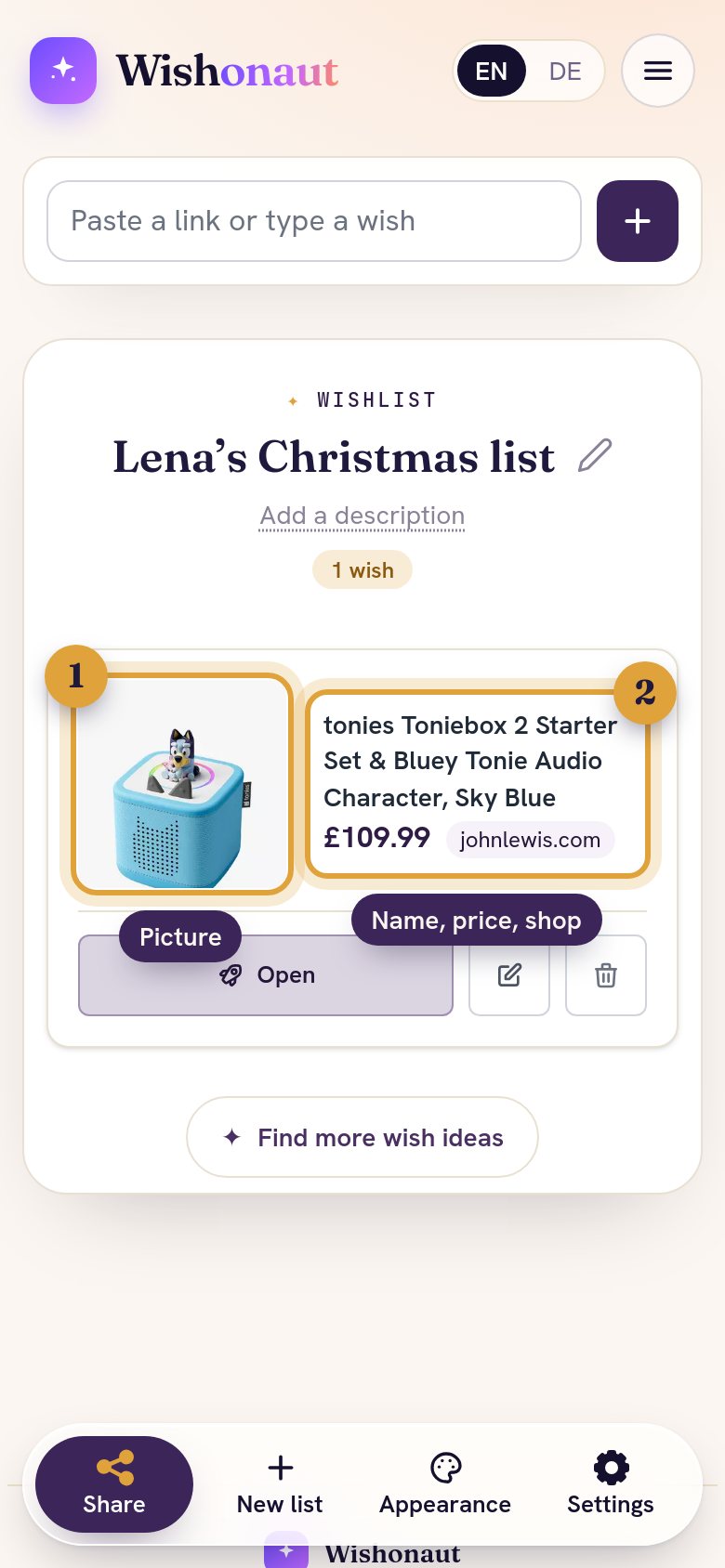
The picture 1 comes straight from the shop, along with the name, the price and the shop itself 2. Later, your guests tap “Open” and land on exactly the right item.
-
Step 4: When a shop keeps quiet
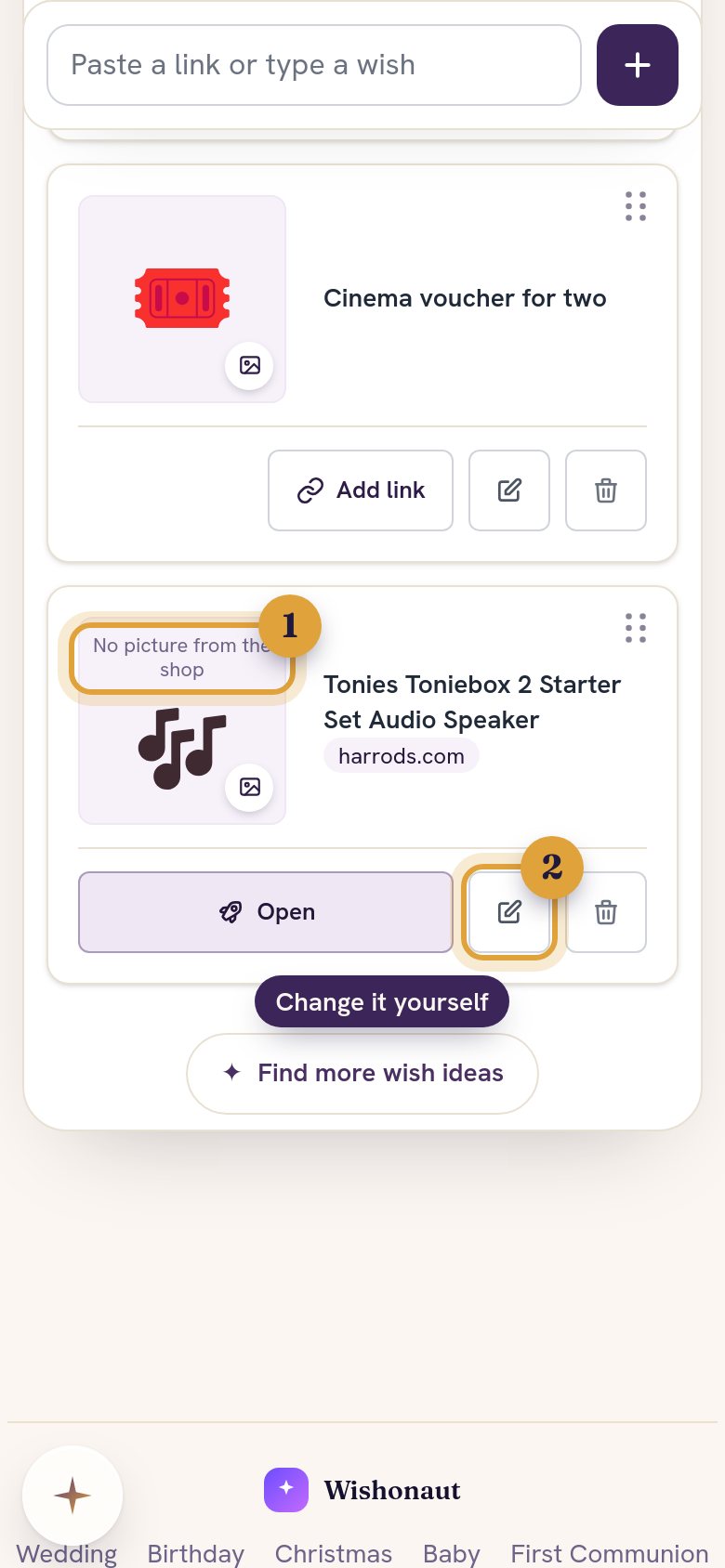
Some shops don’t let anyone peek behind the scenes. Then you’ll see “No picture from the shop” 1, and the name comes from the web address. Tap the pencil 2 to add a picture or change the name in seconds.
-
Step 5: Even quicker on your phone
On Android, add Wishonaut to your home screen and it shows up in your shopping apps’ “Share” menu – one tap and you’re done. On an iPhone, a shortcut does the job; you’ll be offered it when you install Wishonaut.
It works just as well with Amazon as with the little shop round the corner. And wishes without a link – “time with you”, “cinema voucher” – work anyway.
Making your own list this year? Our Christmas list maker takes links from any shop, and the whole family sees your wishes through one link.
Give it a go
Free, no sign-up – and done in two minutes.