Your wishlist in two minutes – no account, no app

No account, no password, no app. All you need is a browser and roughly the time it takes your coffee to cool down. Here’s how it looks, using Lena’s Christmas list as an example.
-
Step 1: Create the list
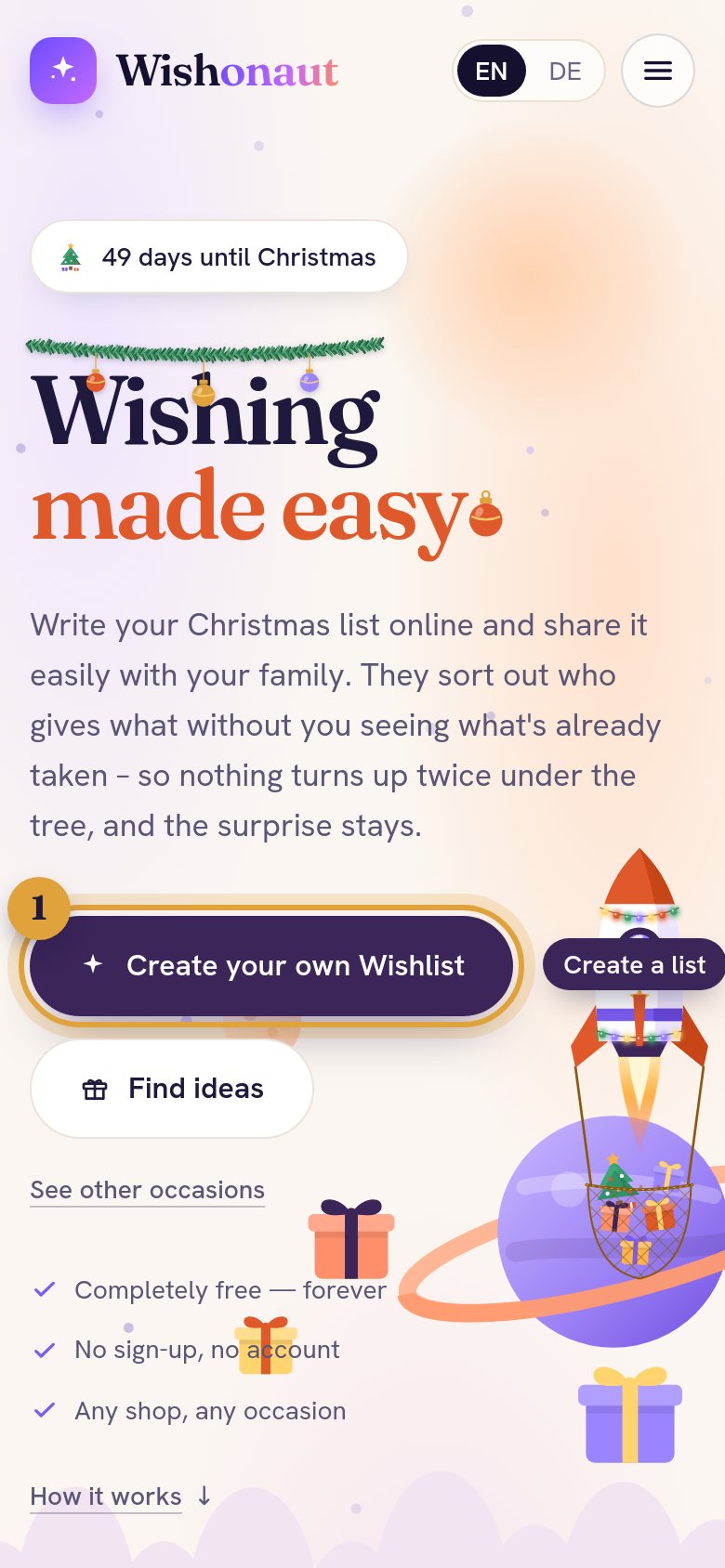
On wishonaut.com, tap “Create your own Wishlist” 1. That’s it – your list is ready, no sign-up needed.
-
Step 2: Add your first wish
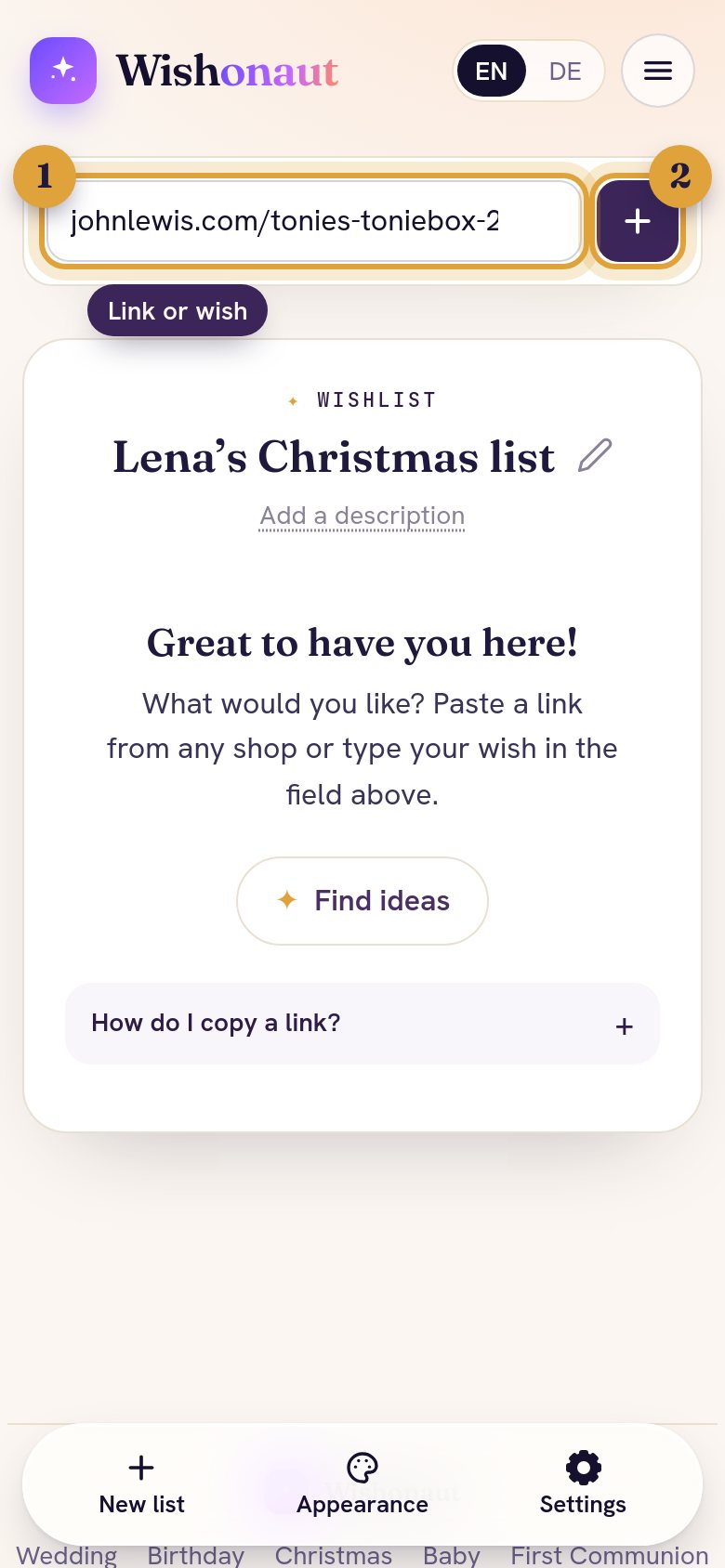
Paste a link from any shop into the box at the top 1 – or just type a wish, like “cinema voucher for two”. Then tap + 2.
-
Step 3: And there’s your list
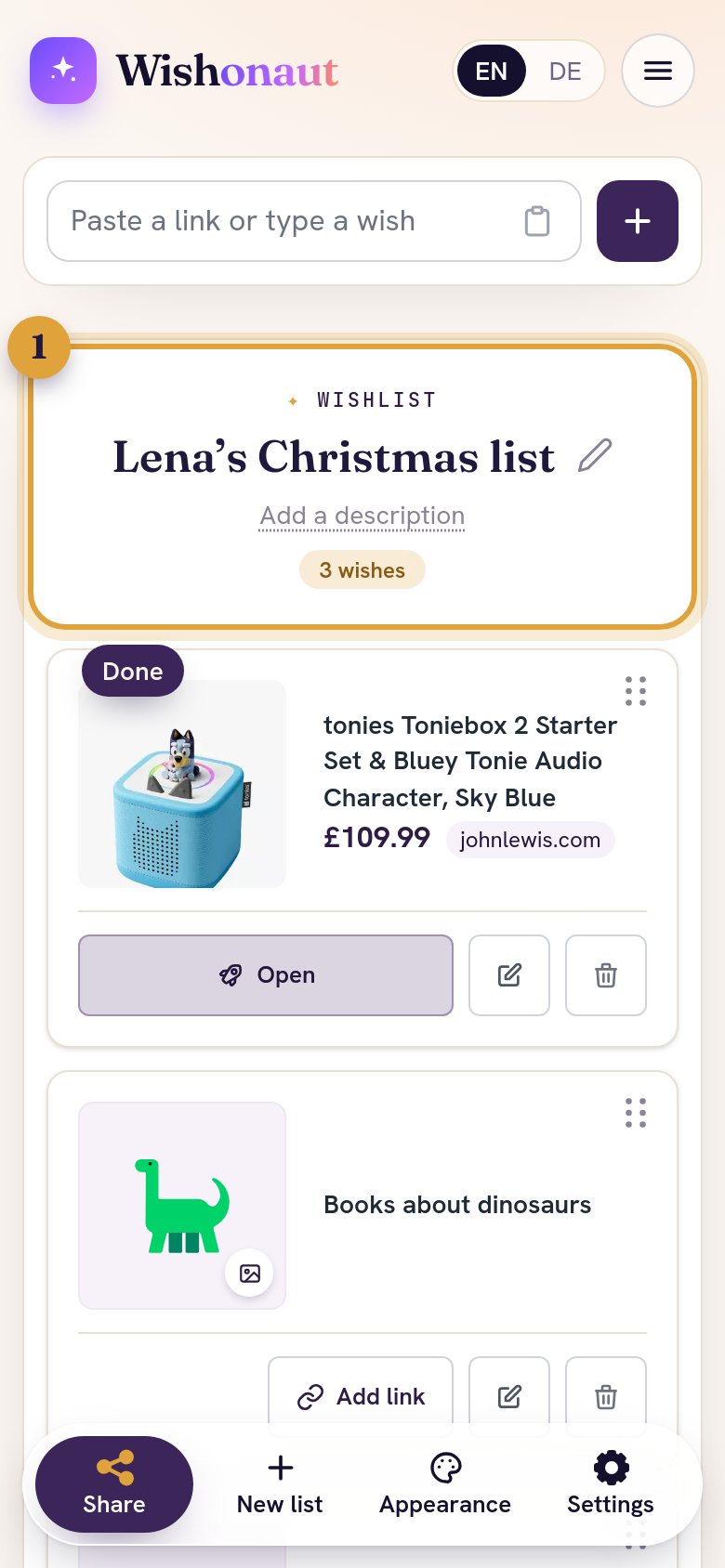
Wishonaut fetches the picture, name and price for you, and wishes without a link get a matching little picture. You can rename the list 1 any time with the pencil next to it.
-
Step 4: Share it
Tap “Share” at the bottom – on your phone, WhatsApp, email and co. pop up straight away. Under “QR code & link for sharing” in the settings you’ll also find “Share list…” 1 and a QR code 2 that Grandma can simply scan with her phone camera.
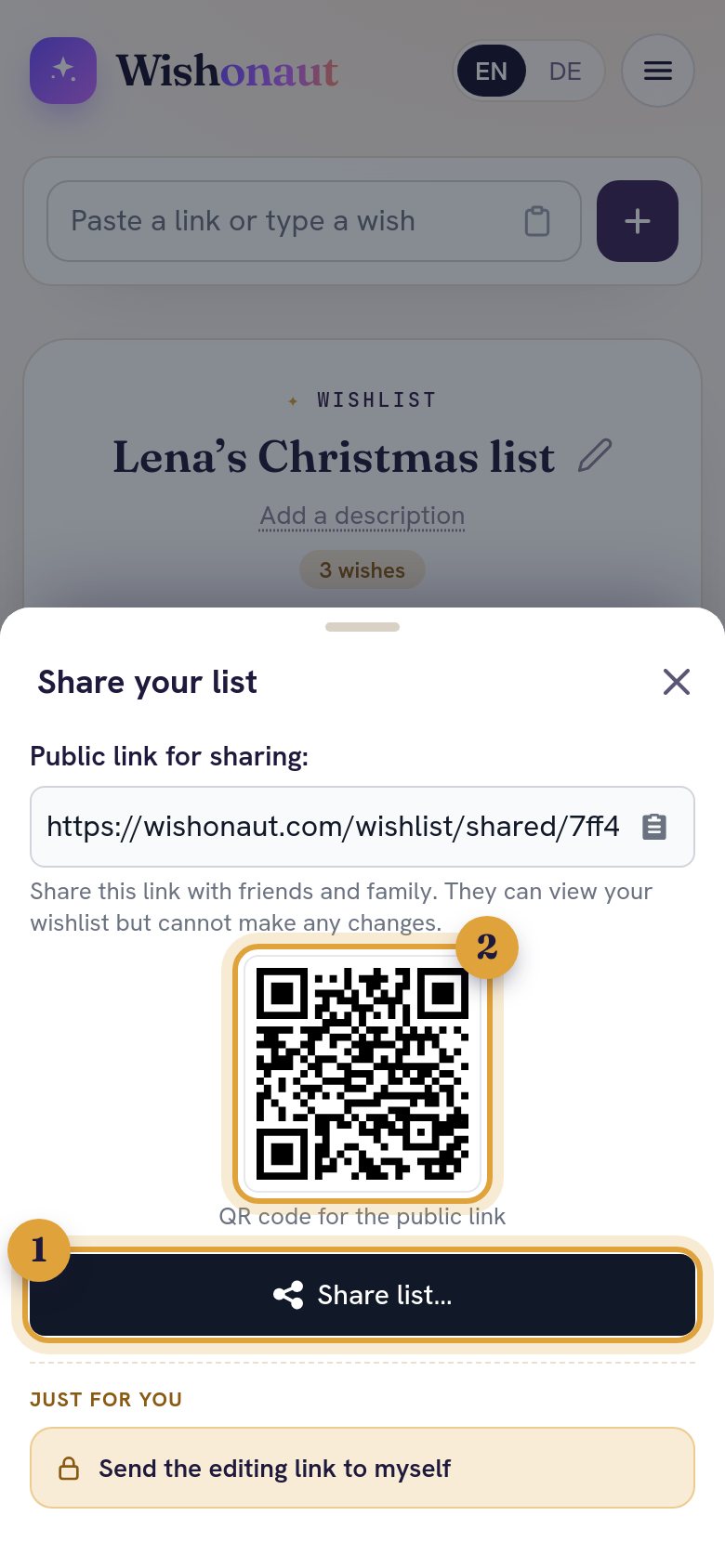
Your guests don’t need an account either: they open the link, see your wishes and reserve what they’re giving. And so you can always find your list again, bookmark your editing link or add the list to your home screen.
Give it a go
Free, no sign-up – and done in two minutes.